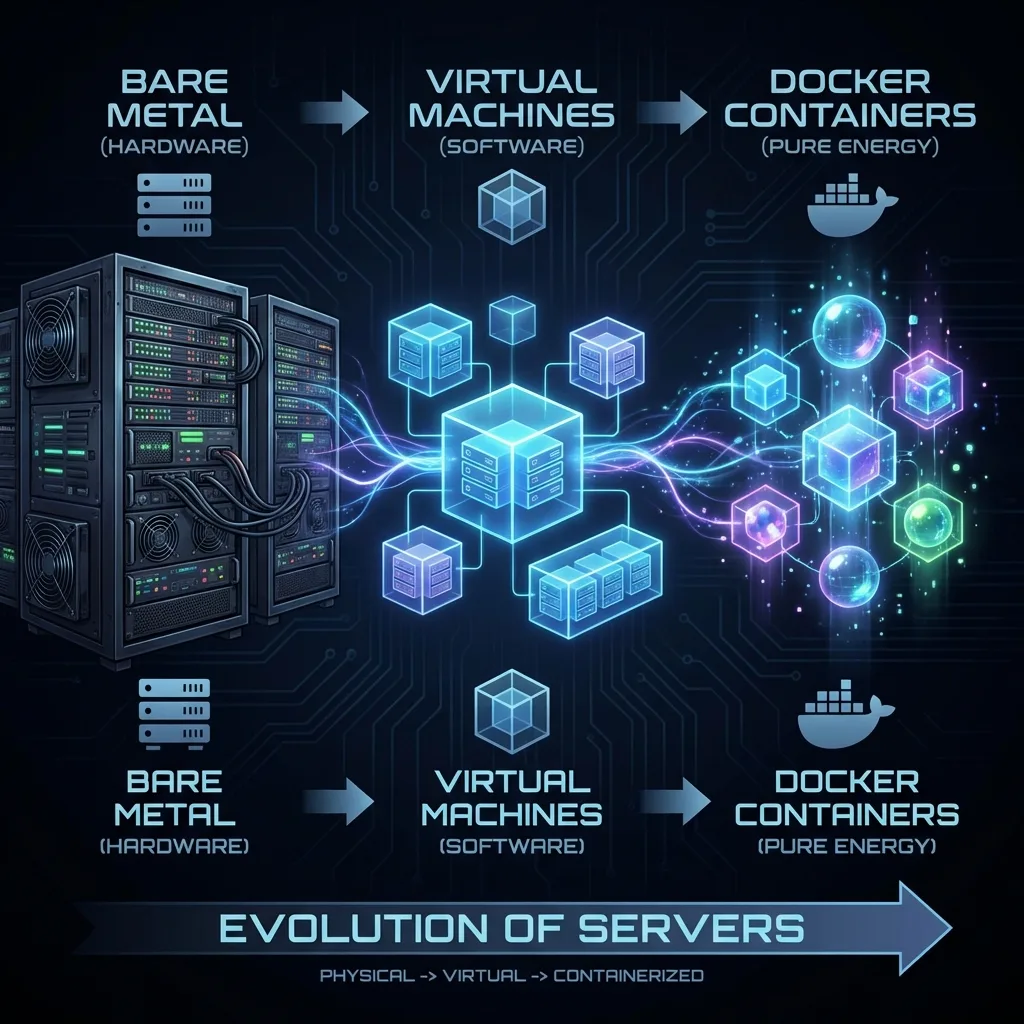
The Evolution of Computing: From Bare Metal to Containers
From bare metal to virtual machines to containers: the isolation technologies - chroot, cgroups, namespaces - that reshaped how we deploy software.
✨TL;DR / Executive Summary
From bare metal to virtual machines to containers: the isolation technologies - chroot, cgroups, namespaces - that reshaped how we deploy software.
By Hephaestus
💡 TL;DR (Too Long; Didn't Read)
Computing evolved from "Bare Metal" (one app, one server) to Virtual Machines (VMs) to solve resource waste, and finally to Containers to eliminate VM "overhead". Isolation technologies like
chroot,cgroups, andnamespaceswere the building blocks. Docker, in 2013, didn't invent the container, but its UX (Dockerfile, layered images) made it accessible, solving the chronic "works on my machine" problem. Today, orchestration with Kubernetes dominates, and the future points to even lighter technologies like WebAssembly (WASM).
Prologue: The Machine That Always Worked... Until It Didn't
It was 1996. I was in the server room of a telecommunications operator at 3 AM, looking at a rack of Sun Microsystems servers that cost more than an apartment. One of them had failed. Not the hardware - the software. A library update had broken the billing system that processed millions of phone calls per day.
The backup? Another identical server, with the same configuration, that should work exactly the same. But it didn't. "Works on my machine" was already a joke among developers back then. What nobody knew yet was that we were just 17 years away from the definitive solution to this age-old computing problem.
This is the story of how we got to containers. And how Docker, in 2013, didn't invent the wheel - but put it in a car that everyone could drive.
1. The Bare Metal Era (1960-1990): When Servers Were Isolated Fortresses
The Fundamental Problem: Dependency Conflicts
In the early days of commercial computing, the architecture was brutally simple: one application, one physical server.
Imagine the typical scenario of a company in the 80s:
Seemed to make sense, right? Total isolation, no conflicts. But there were critical problems:
Problem 1: The Underutilization Paradox
Most servers operated between 5% and 15% CPU utilization. Why? Because corporate systems have demand peaks:
- Payroll system: Heavy at month-end, idle the rest of the time
- Sales system: Peak during business hours
- Backup system: Active only at night
You had a room full of $50,000 to $500,000 servers, consuming power and cooling 24/7, working less than an intern on Friday afternoon.
Problem 2: "Dependency Hell"
Try running two applications on the same Unix server in the 90s:
- App A needs:
libc.so.5, Python 1.5, Oracle Client 8i - App B needs:
libc.so.6, Python 2.3, Oracle Client 9i
A shared library updated for one application broke the other. The solution? Buy another $50,000 server. Seriously.
Problem 3: "Works on My Machine" ™
The developer ran on:
- OS: Red Hat Linux 5.2
- Kernel: 2.0.36
- GCC: 2.7.2
The production server ran:
- OS: Red Hat Linux 6.0
- Kernel: 2.2.5
- GCC: egcs-1.1.2
Subtle differences caused impossible-to-reproduce bugs. Hours of debugging turned into days. "Works on my machine" became IT's most hated mantra.
📊 From the Forge - Hephaestus: The Real Cost of Bare Metal
In 1998, I worked on a billing system project for a cellular operator. We had 32 HP-UX servers, each running a single application. The cost? Approximately $1.2 million in hardware. The average CPU utilization? 8%.
Doing the math today: we could have run everything on 2-3 modern servers with virtualization. The waste was staggering, but it was state of the art.
2. First Revolution: Virtual Machines (1999-2008)
The Birth of x86 Virtualization
In 1999, VMware launched VMware Workstation, followed by ESX Server in 2001. For the first time, it was possible to run multiple complete operating systems on the same x86 hardware.
The promise was revolutionary:
Hypervisors: Type 1 vs Type 2
Type 1 (Bare-Metal): Runs directly on hardware
- VMware ESXi
- Microsoft Hyper-V
- Xen
- KVM (technically hybrid)
Type 2 (Hosted): Runs on top of a host OS
- VMware Workstation
- VirtualBox
- Parallels Desktop
The Datacenter Revolution
Between 2005 and 2010, virtualization became standard. The benefits were undeniable:
✅ Server consolidation: From 32 servers to 4-5 hosts ✅ Better utilization: From 8% to 60-80% CPU ✅ Isolation: VMs don't affect each other ✅ Snapshot and cloning: Simplified backup and DR ✅ Live migration: Move VMs between hosts without downtime
But... The Price of Luxury
Virtualization solved many problems but created others:
Resource Overhead
Each VM carries a complete operating system:
Typical VM running a simple web application:
```mermaid
graph TD
    subgraph VM["Typical VM (1.1GB)"]
        Guest["Guest OS (Linux) → 500MB<br>⚠️ Full OS"]
        Kernel["Kernel + drivers → 200MB<br>⚠️ Isolated kernel"]
        Libs["System libraries → 300MB<br>⚠️ Duplicated libs"]
        App["Application → 100MB<br>✅ Your app"]

        Guest --> Kernel
        Kernel --> Libs
        Libs --> App
    end
    classDef spacer fill:none,stroke:none,color:none,width:0px,height:25px;
Multiply this by 20 VMs: **22GB** just in redundant operating system.

#### **Boot Time: The Achilles' Heel**

- **VM**: 30 seconds to 2 minutes for full boot
- **Container** (spoiler): 100-500 milliseconds

When you need to scale an application from 10 to 100 instances in seconds (Black Friday, traffic spike), minutes are an eternity.

#### **Limited Density**

A physical server could run:
- **VMs**: 20-50 VMs (depending on workload)
- **Containers** (spoiler): 100-1000 containers

### 🔥 **Production Trap**: VM Sprawl

> In 2007, I worked at a financial company where we had **800 VMs** provisioned. We discovered that **320 of them** (40%) were **completely idle** - created for tests and forgotten. Each consuming 2GB RAM and 20GB disk.
>
> With VMs, it became so easy to create machines that nobody bothered to destroy them. With containers, this problem got worse first, but then was solved with automatic orchestration.

---
## 3. Container Precursors (1979-2013): The Silent Evolution

Docker didn't invent containers. It was the culmination of **34 years** of isolation technology evolution. Let's trace the lineage:

### **chroot (1979/1982): The Great-Grandfather of Containers**

Developed during **Version 7 Unix**, `chroot` was the first form of filesystem isolation.

```bash
# Creating a chroot environment
mkdir /var/chroot/myapp
cp -r /bin /lib /lib64 /var/chroot/myapp/
chroot /var/chroot/myapp /bin/bash

# Inside chroot, / is /var/chroot/myapp
# Processes don't see the real filesystemLimitations:
- ❌ No process isolation (you see all system processes)
- ❌ No network isolation
- ❌ Easy to escape (if you're root)
FreeBSD Jails (2000): The First Real Container
FreeBSD Jails was revolutionary for its time:
# Creating a Jail on FreeBSD
jail -c path=/usr/jail/www \
         host.hostname=www.example.com \
         ip4.addr=10.0.0.10 \
command=/bin/shAdvances: ✅ Process isolation (each jail sees only its processes) ✅ Network isolation (own IP) ✅ User isolation (root in jail ≠ root on host) ✅ Resource limitation
Jails were used in production for years in shared hosting services.
Solaris Zones (2004): Enterprise Containers
Sun Microsystems launched Zones in Solaris 10, elevating containers to an enterprise product:
# Creating a Zone in Solaris
zonecfg -z myzone
create
set zonepath=/zones/myzone
set autoboot=true
add net
  set physical=e1000g0
  set address=192.168.1.100
end
exit

zoneadm -z myzone install
zoneadm -z myzone boot
Enterprise Features:
- ✅ Resource pools (CPU sets)
- ✅ Fair Share Scheduler
- ✅ ZFS integration (instant clones)
- ✅ Live migration between hosts
OpenVZ/Virtuozzo (2005): OS-Level Virtualization on Linux
OpenVZ brought containers to Linux with kernel patches:
# Creating an OpenVZ container
vzctl create 101 --ostemplate centos-6-x86_64
vzctl set 101 --hostname ct101.example.com --save
vzctl set 101 --ipadd 10.0.0.101 --save
vzctl set 101 --diskspace 10G --save
vzctl start 101Problem: Required patched kernel, not mainline Linux.
LXC - Linux Containers (2008): Docker's Foundation
LXC was the first container system using native Linux kernel features:
# Creating an LXC container
lxc-create -n mycontainer -t ubuntu
lxc-start -n mycontainer -d
lxc-attach -n mycontainer
Why LXC was crucial:
- ✅ Used cgroups and namespaces from vanilla kernel (no patches)
- ✅ Linux community support
- ✅ Open source and well documented
cgroups (2007): Resource Limitation
Developed by Google engineers (Paul Menage and Rohit Seth) and integrated into Linux kernel 2.6.24:
# Creating a cgroup manually
mkdir /sys/fs/cgroup/memory/myapp
echo 512M > /sys/fs/cgroup/memory/myapp/memory.limit_in_bytes
echo $PID > /sys/fs/cgroup/memory/myapp/cgroup.procs
Main controllers:
cpu: CPU limits (shares, quotas)memory: RAM limits (hard/soft limits)blkio: Disk I/O limitsnet_cls: Network traffic marking
Namespaces (2002-2013): Resource Isolation
Namespaces were added to the Linux kernel over 11 years:
| Namespace | Year | Kernel | Function |
|---|---|---|---|
mount | 2002 | 2.4.19 | Isolated filesystem |
PID | 2008 | 2.6.24 | Isolated process tree |
network | 2009 | 2.6.29 | Isolated network stack |
UTS | 2006 | 2.6.19 | Isolated hostname |
IPC | 2006 | 2.6.19 | Isolated inter-process communication |
user | 2013 | 3.8 | UID mapping |
cgroup | 2016 | 4.6 | Cgroup visibility |
📐 Diagram: The Evolution of Isolation Technologies
4. Docker's Birth (2013): The UX Revolution
dotCloud and Internal Need
In 2010, Solomon Hykes and his team at dotCloud (a Platform-as-a-Service startup) faced a classic problem: how to allow developers to run code in isolated environments efficiently?
They used LXC, but it was complex:
# To run an app with LXC (simplified):
lxc-create -n webapp -t ubuntu
lxc-start -n webapp
lxc-attach -n webapp
apt-get update && apt-get install python nginx
# ... copy code, configure, etc
# ... save state manually
# ... replicate on another server? Good luck.
Hykes and his team (especially Andrea Luzzardi and Jérôme Petazzoni) built an abstraction layer over LXC that made containers simple.
PyCon 2013: The "iPhone Moment" of Containers
On March 20, 2013, at PyCon Santa Clara, Solomon Hykes gave a 5-minute presentation called "The future of Linux Containers".
He showed this:
# Running a Python application in a container
docker run -d -p 5000:5000 my-python-app

# Build, Ship, Run - 3 commands:
docker build -t my-app .
docker push my-app
docker run my-app
The audience exploded. Within months, Docker was everywhere.
Why Did Docker Explode When LXC Already Existed?
This is the crucial question. LXC did everything Docker did technically. So why did Docker win?
1. Revolutionary UX: Dockerfile
Before Docker:
# 40+ commands to configure an environment
lxc-create...
lxc-start...
lxc-attach...
apt-get install this that...
configure this...
# How do you document this? Shell script? Wiki?
With Docker:
# Dockerfile - Infrastructure as Code
FROM ubuntu:20.04
RUN apt-get update && apt-get install -y python3 nginx
COPY app.py /app/
CMD ["python3", "/app/app.py"]
One file. Versionable. Reproducible. Readable.
2. Images: The Killer Feature
Docker introduced the concept of layered images:
Magic: Layers are shared. If 10 apps use ubuntu:20.04, it's downloaded once.
3. Docker Registry: GitHub for Images
# Publish your image
docker push myuser/myapp:v1.0

# Anyone in the world can run
docker pull myuser/myapp:v1.0
docker run myuser/myapp:v1.0
Docker Hub became the "npm" of containers. Millions of public images.
4. "Build Once, Run Anywhere" - Promise Fulfilled
# Developer (Mac):
docker build -t myapp .
docker run myapp  # ✅ Works

# CI/CD (Linux):
docker run myapp  # ✅ Works

# Production (AWS ECS):
docker run myapp  # ✅ Works

# The SAME image. Bit-for-bit identical.
"Works on my machine" finally died.
5. Perfect Timing: DevOps Culture
2013 was the perfect year:
- ✅ GitHub was mature (open source culture)
- ✅ AWS was popular (cloud adoption)
- ✅ Agile/DevOps was mainstream
- ✅ Microservices was starting to emerge
- ✅ Continuous Deployment was the goal
Docker was the tool everyone was waiting for without knowing it.
📈 Explosion Numbers
| Month | Docker Hub Downloads | Companies Using |
|---|---|---|
| Mar 2013 | 0 | 0 |
| Dec 2013 | 2.75M | 1,000+ |
| Dec 2014 | 100M+ | 10,000+ |
| Dec 2015 | 500M+ | 50,000+ |
| 2025 | 13+ Billion pulls/month | Everyone |
🔥 From the Forge - Hephaestus: The "Aha!" Moment
In November 2013, I attended the first Docker presentation at a conference in São Paulo. My first reaction was: "This is just LXC with a pretty wrapper."
Three months later, I was migrating everything I could to Docker. Why? Because I realized it wasn't about the technology - it was about the experience. Dockerfile was real infrastructure as code. Images were versionable artifacts. Docker Compose enabled local orchestration.
For the first time in 30 years of my career, development and production ran exactly the same environment. That was revolutionary.
5. The Current Ecosystem (2013-2025): Maturity and Fragmentation
The Rise of Kubernetes (2014-2025)
Docker solved packaging. But what about orchestration of hundreds or thousands of containers?
In 2014, Google open-sourced Kubernetes (K8s) - their internal orchestration system (based on Borg and Omega).
Kubernetes became the operating system of the cloud. Today:
- All cloud providers have managed K8s (EKS, GKE, AKS)
- 84% of companies using containers use Kubernetes
- It became commodity - nobody questions it anymore
Docker vs Podman vs containerd: Fragmentation
In 2015, Docker Inc. began modularizing the Docker Engine:
Result: Other projects emerged using the same components:
Podman (Red Hat)
# Syntax IDENTICAL to Docker
podman run -d nginx
podman build -t myapp .

# Difference: Daemonless (no central daemon)
# Difference: Rootless by default (more secure)
containerd (CNCF)
# Used directly by Kubernetes
ctr images pull docker.io/library/nginx:latest
ctr run docker.io/library/nginx:latest nginx
CRI-O (Kubernetes-native)
- Minimal runtime for Kubernetes
- Only what K8s needs, nothing more
Containers Are Commodity, Orchestration Is The Game
In 2025, the "Docker vs Podman" debate is irrelevant for most:
Local developer:
- Docker Desktop (Mac/Windows)
- Podman (Linux, more secure)
- Doesn't matter, both work

Production:
- Kubernetes (EKS, GKE, AKS)
- Uses containerd or CRI-O
- Docker is just the image format (OCI)
The war is over. OCI (Open Container Initiative) standardized:
- Image spec: Image format
- Runtime spec: How to execute containers
- Distribution spec: How to distribute images
Any OCI-compliant tool is interchangeable.
📊 Global Container Adoption (2025)
| Metric | Value |
|---|---|
| Companies using containers | 90%+ (Fortune 500) |
| Workloads in containers | 75% of new deployments |
| Orchestration preference | Kubernetes (87%) |
| Docker Hub pulls | 13+ billion/month |
| Public Docker Hub images | 15+ million |
The Future: WebAssembly, Unikernels, and Beyond
The journey didn't end:
WebAssembly (WASM): Solomon Hykes tweeted in 2019:
"If WASM+WASI existed in 2008, we wouldn't have needed to create Docker."
WASM promises:
- ✅ Boot in milliseconds (vs 100ms containers)
- ✅ Almost zero overhead
- ✅ True "run anywhere" (any OS, any architecture)
Firecracker (AWS): MicroVMs for serverless
- VM isolation + container speed
- Used in AWS Lambda and Fargate
gVisor (Google): Userspace kernel
- Extreme security (virtualized kernel)
- Trades performance for isolation
Conclusion: The Journey Is Just Beginning
From 1979 with chroot to 2025 with Kubernetes, computing has traveled a fascinating journey:
Bare Metal → VMs → Containers → Orchestration → ???
 (1960)    (1999)    (2013)        (2016)      (Future)
Each stage solved problems from the previous:
- VMs solved underutilization and isolation
- Containers solved overhead and speed
- Orchestration solved scale and complexity
- WASM/MicroVMs will solve... what?
What we learned:
- Technology alone isn't enough - LXC existed, Docker won with UX
- Timing is everything - Docker arrived when DevOps was mature
- Standardization wins - OCI unified the ecosystem
- Abstraction is power - Simplifying complexity is the real challenge
In the next article, we'll dive deep into Docker's internal architecture: how namespaces, cgroups, and OverlayFS work to create the isolation we call a "container". We'll open the hood and look at the engine.
🎯 Immediate Hands-on: Test the Evolution
Try the difference yourself:
# 1. Create a VM (using Vagrant)
time vagrant up ubuntu/focal64
# ⏱️ Time: ~2-3 minutes

# 2. Create a container
time docker run ubuntu:20.04 echo "Hello"
# ⏱️ Time: ~2-3 seconds

# 100x faster. Feel the difference.
For the Next Article
Install Docker on your machine:
# Linux:
curl -fsSL https://get.docker.com | sh

# Mac/Windows:
# Download Docker Desktop from docker.com
We'll be disassembling Docker piece by piece.
📚 References and Additional Reading
- Solomon Hykes PyCon 2013: YouTube Link
- LXC Project: linuxcontainers.org
- OCI Specifications: opencontainers.org
- Kubernetes Documentation: kubernetes.io
- "The Evolution of Container Usage" - CNCF Survey 2024
- High-Performance Async I/O: io_uring for AI/ML: Stop GPU Starvation & Syscall Overhead — Aether's guide on how modern Linux kernels eliminate blocking constraints.
Hephaestus - From the bare metal forge to the orchestration clouds, forging systems for 40 years.
Next article in 2 weeks: "Docker Unveiled: Architecture and Fundamental Components"