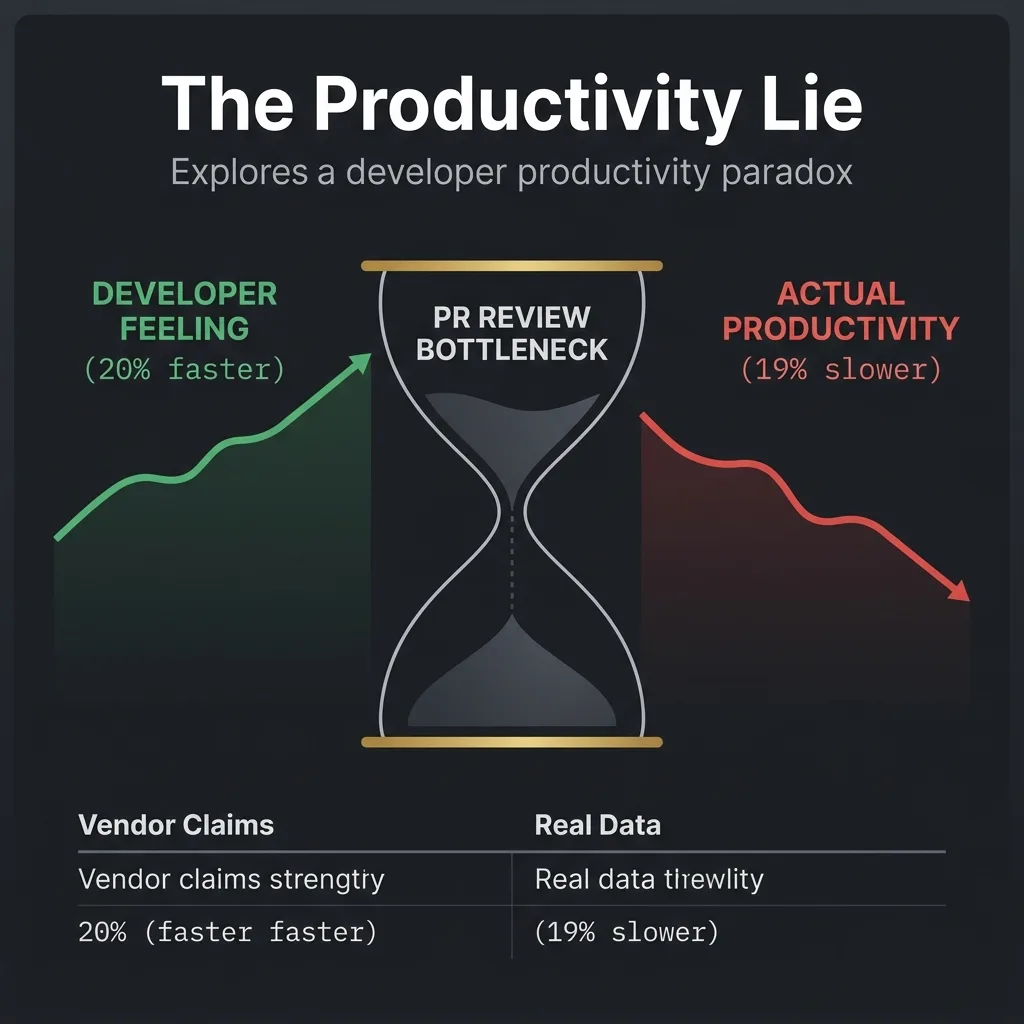
The Productivity Lie: Why AI Tools Make You Feel Fast But Make You Slow
The AI productivity paradox: real benchmarks vs. marketing claims, why developers feel 20% faster but are actually 19% slower, and workflows that work.
✨TL;DR / Executive Summary
The AI productivity paradox: real benchmarks vs. marketing claims, why developers feel 20% faster but are actually 19% slower, and workflows that work.
💡 TL;DR (Too Long; Didn't Read)
Key takeaways in 60 seconds:
- The Paradox: Developers self-report 20%+ productivity gains with AI. Controlled studies show they're actually 19% slower on average.
- Why: Human review and validation consume the time AI saves. This bottleneck scales as AI code volume grows.
- Real Numbers: Average time savings from AI tools: 3 hours 45 minutes per week, but real productivity boost is only 5–15%—not the 50–100% vendor claims.
- The Fix: Stop optimizing for "code output." Optimize for "code review bandwidth," async pair-programming, and measurement discipline.
- Benchmark Trap: SWE-bench shows Claude Opus 4.5 at 76.8% and top models clustering near 80%, but these measure algorithmic precision, not production readiness.
The Visual Paradox
The Gap: Your brain registers the AI output (2 seconds) and assumes that's your productivity gain. It isn't. Your actual productivity is the sum of intent, generation, validation, and iteration. AI only speeds up one of those four phases.
The Setup: Why Everyone's Lying to You (Including Themselves)
You've heard the numbers. You've seen the demos. GitHub Copilot cuts coding time in half. Claude Code delivers "3x development speedups." Cursor's agent "replaces a junior engineer." The messaging is consistent, the metrics are impressive, and your team's Slack channels are full of developers singing praises.
So why do your velocity charts look the same as they did in 2024?
Verified SourceMETR (July 2025 & Feb 2026 research)In a randomized controlled trial of 16 experienced open-source developers (22k+ stars, 1M+ lines of code), AI use caused tasks to take 19% longer on average. Developers estimated they were 20% faster. Both were sincere.
This is the AI productivity paradox, and it's not a conspiracy—it's math.
Part 1: Why Your Brain Lies to You (And So Do the Vendors)
The Illusion of Speed
When you use Claude Code or Cursor, the experience is undeniably fast:
- Suggestions appear in sub-second latency.
- Multi-file refactors happen in minutes instead of hours.
- Boilerplate scaffolds itself.
Your dopamine hits. You feel productive. But you're measuring the wrong thing.
Here's what actually happened:
- You typed a prompt (30 seconds).
- AI generated code (2 seconds).
- You read the output (2 minutes).
- You found issues (5 minutes).
- You manually fixed them (10 minutes).
- You ran tests; they failed (5 minutes).
- You iterated with the AI (10 minutes).
- You finally shipped it (2 minutes).
Total time: 34.5 minutes. If you'd written it without AI, you might've spent 30 minutes thinking, then 10 minutes typing—40 minutes total. You saved maybe 5 minutes.
But you feel like it took 5 minutes because the AI did the typing part.
Vendors Are Measuring the Wrong Thing
When vendors claim "3x speedup," they're usually measuring lines of code per minute or time to first commit. Neither of these metrics correlate with shipping.
ReportedFaros AI (July 2025 research, 10,000 developers)Developers on teams with high AI adoption complete 21% more tasks and merge 98% more pull requests. But PR review time increases 91%, and change failure rate increases 9%. Bugs per developer rise 9%, and average PR size increases 154%.
Translation: AI made it easier to write code. AI made it harder to review, test, and ship code. The bottleneck simply moved downstream.
Part 2: The Real Benchmarks (And Why They Lie Too)
What SWE-bench Actually Measures
SWE-bench leaderboard maintains Claude Opus 4.5 at 76.8%, with Gemini 3.1 Pro, Claude Sonnet 4.6, and GLM-5 clustering between 77.8–80.9%. These are impressive scores. But let's be honest: SWE-bench doesn't measure production readiness.
SWE-bench tests:
- Can the model close GitHub issues? ✅
- Does it generate syntactically valid code? ✅
- Does the code pass existing tests? ✅
SWE-bench does NOT test:
- Does the code match team conventions? ❌
- Can a junior engineer understand it in 6 months? ❌
- Will it fail under edge cases your tests don't cover? ❌
- Does it leave security holes? ❌
All three new models (Gemini 3.1 Pro, Claude Sonnet 4.6, GLM-5) enter with full ✅ across every quality row. Benchmarks show top tools achieving 80% code generation in controlled tests, though human validation remains indispensable for production readiness.
The honest meta-truth: Benchmarks measure what's easy to measure, not what matters.
The Adoption Illusion
In 2026, 84% of developers use AI tools, with 41% of all code AI-generated in real workflows. However, surveys show trust in AI results ranging from 29% to 46% depending on team seniority and task type—with an average of around 33%.
Reportedindex.dev Developer Productivity Survey (2026)Adoption and trust data from a survey of professional developers. The 29–46% trust range reflects variation across seniority levels and task categories; 33% represents the cross-cohort average.
Let me highlight that gap: 41% of code is AI-generated, but only ~33% of developers trust it on average.
That trust gap is review time. That's your bottleneck.
Part 3: The Honest Breakdown — Where AI Actually Helps (And Where It Doesn't)
I'm going to cut through the marketing and give you real zones where AI adds value:
✅ AI Actually Accelerates
Scaffolding & Boilerplate
Writing a new API endpoint, CRUD forms, or infrastructure-as-code? AI shines. You save 15–25 minutes on setup that was purely mechanical. This is real time saved because review is minimal.
Average time savings from AI tools: 3 hours 45 minutes per week. Real productivity boost: 5–15%—not the 50–100% that tool vendors claim.
Documentation & Tests
AI can generate test stubs and README boilerplate. You fix the logic; AI handles the skeleton. Real time savings: 20–30%.
Refactoring Known Patterns
"Convert this Redux state to Zustand" or "Split this 300-line component into custom hooks." AI handles the pattern. You validate semantics. Savings: 30–40% real.
⚠️ AI Creates Work
Complex Business Logic
AI will generate code that looks right but misses implicit requirements. A Staff+ engineer takes 5 minutes to write it correctly. AI takes 3 minutes to generate it incorrectly, then you spend 20 minutes debugging. Net cost: +12 minutes.
Multi-Service Interactions
Anything involving distributed systems, eventual consistency, or timing-sensitive logic? AI's context is too local. It will generate races and deadlocks. This is where experienced engineers earn their salary—and where AI adds negative ROI.
Security-Critical Code
Auth, encryption, access control, secrets handling. Even the most optimistic cohort tops out at 46% trust in AI results—and the cross-cohort average is only 33%. For security code, you should be at 95%+ confidence before shipping. AI doesn't get you there faster—it gets you there slower because review is more intense.
Part 4: Workflows That Actually Work
If AI genuinely adds 5–15% productivity, you need to architect your team to capture that value. Here's what works:
The Async Pair-Programming Model
Instead of AI co-piloting real-time (which creates flow interruption), use it async:
- Spec Phase (human alone): Design the change in prose. Write acceptance criteria.
- Generation Phase (AI alone): Batch-generate scaffolds for all affected files. Commit WIP with a clear message.
- Review Phase (human alone): Review all changes as a cohesive unit. You can see the pattern, spot inconsistencies.
- Refinement Phase (AI alone): Based on feedback, regenerate specific sections.
Why this works: Humans are good at intent. AI is good at pattern-matching. Separating these phases lets each do what it does best.
Measurement Discipline
Stop measuring "lines of code per sprint." Start measuring:
- Change Failure Rate (DORA metric): What % of shipped code causes incidents?
- PR Review Time: How long from PR open to merge approval?
- Code Churn: What % of code is rewritten within 30 days of shipping?
- Test Coverage Delta: Does AI-touched code have better, same, or worse test coverage?
The four DORA metrics (deployment frequency, lead time, change failure rate, MTTR) are the only metrics that genuinely correlate with software delivery performance across studies of 10,000+ teams.
If AI truly improves productivity, these metrics will move. If they don't? You have visibility into why, not just "the tool doesn't work."
Tool Layering (Not Tool Replacement)
The best teams aren't using one AI tool. They're layering:
- Real-time assistant in editor (Copilot, Claude Code in VS Code): Catches typos, completes boilerplate.
- Terminal agent (Aider, Claude Code in terminal): Complex multi-file refactors, feature branches.
- Code review automation (Trunk Review, Revert-Check): Auto-flags suspicious patterns.
- CI integration (AI-powered linting): Catches style issues before human review.
Each layer handles a different cognitive load. Your brain stays focused on intent. The tools handle mechanics.
Part 5: The Staff+ Reality Check
Here's where this matters most: you.
If you're a Staff+ Engineer or CTO, AI tools don't multiply your output. They multiply your leverage. You spend 30 minutes architecting a feature. AI spends 3 minutes scaffolding it. You spend 30 minutes reviewing AI output for correctness and fit. You ship a feature that would have taken your team 3 days in 8 hours total.
That's not 3x speedup. That's you being 3x more efficient, which is different. You're still the constraint. You're just a better constraint.
ReportedDeveloper Tools News (March 2026)In 2026, over half of surveyed developers incorporate agents into workflows, with senior engineers leading adoption at 63.5%. Tools like Cursor's agent features and specialized platforms enable end-to-end task automation.
The adoption curve isn't shaped like a Gartner hype cycle. It's bifurcating. Senior engineers are pulling away because they can architect AI tool usage. Junior engineers are confused because they think AI replaces learning—it doesn't, it just accelerates what you already know.
The Leverage Trap
Here's the uncomfortable truth for Staff+ engineers: AI amplifies your review burden faster than it amplifies your output. If your team of 6 engineers all adopt AI coding tools, they'll each generate 30–50% more pull requests. That's 6× the additional review load—and it all flows upward to you.
Before AI, you reviewed 3–4 substantive PRs per day. Now you're reviewing 5–7, each with subtly different failure modes: hallucinated API calls, phantom imports, tests that pass locally but test the wrong behavior. Your calendar hasn't grown. Your review queue has.
The Staff+ engineers who are thriving aren't reviewing more—they're reviewing differently:
- Front-load architecture reviews: Spend 15 minutes approving the design before AI generates code. This eliminates 60% of conceptual rework.
- Delegate pattern validation: Train mid-level engineers to catch AI-specific failure modes (phantom dependencies, context window artifacts, style drift). This distributes the review load.
- Batch AI-generated PRs: Review all AI-produced changes in one session rather than interleaving them with human PRs. Your brain context-switches less, and pattern recognition kicks in.
The Mentorship Paradox
There's a subtler cost that nobody in the vendor demos mentions: AI tools erode the mentorship pipeline. When a junior engineer writes boilerplate by hand, they learn why the pattern exists. When AI writes it, they learn that the pattern exists—a much weaker form of knowledge.
Two years from now, your Staff+ pipeline depends on mid-level engineers who deeply understand system design. If those engineers spent their formative years accepting AI suggestions without understanding the underlying trade-offs, you have a talent gap that no tool can fill.
The fix? Mandate "AI-free" design sessions where engineers sketch solutions on whiteboards before touching any tool. Use AI for implementation, not education.
Part 6: The Anti-Pattern Catalog
These are the five organizational mistakes that destroy AI productivity ROI. If you recognize any, stop and fix them before adding more tools.
❌ Anti-Pattern 1: The Demo-Driven Rollout
Symptom: Leadership sees a 5-minute AI demo, mandates company-wide adoption by next quarter.
Why it fails: Demos optimize for wow factor, not for workflow integration. The developer who generated a React component in 30 seconds didn't show you the 45 minutes they spent debugging the useEffect dependency array it got wrong.
Fix: Pilot with one team for 2 sprints. Measure DORA metrics before and after. Let the data make the business case.
❌ Anti-Pattern 2: Lines-of-Code as KPI
Symptom: Engineering metrics dashboards proudly show "AI-assisted LoC up 200%."
Why it fails: More code is not better code. The Faros data shows PR sizes increase 154% with AI adoption—but review time increases 91% and bugs per developer rise 9%. You're manufacturing complexity.
Fix: Replace LoC with change failure rate and code churn. These measure outcomes, not volume.
❌ Anti-Pattern 3: The Context Window Gamble
Symptom: Engineers paste entire codebases into AI prompts expecting it to "figure it out."
Why it fails: Context windows have hard limits (128K–200K tokens for top models in 2026). Even within those limits, attention degrades for tokens in the middle of the window. You're statistically likely to get worse results from a 100K-token prompt than a focused 2K-token prompt with clear instructions.
Fix: Decompose tasks into atomic units. One prompt per concern. Provide only the relevant interfaces, types, and examples—not the entire monorepo.
❌ Anti-Pattern 4: Skipping Review for AI Code
Symptom: "The AI wrote it, and the tests pass—ship it."
Why it fails: Tests validate expected behavior. AI-generated code often introduces subtle issues that existing tests don't cover: race conditions, implicit state mutations, security surface expansion, or API contracts that break downstream consumers. The 87% vulnerability rate in AI-generated PRs isn't a bug in the AI—it's a gap in the review process.
Fix: AI code gets the same review rigor as human code. Period. If anything, it needs more scrutiny because the author (the AI) can't explain its reasoning during review.
❌ Anti-Pattern 5: Tool Maximalism
Symptom: The team uses Copilot, Cursor, Claude Code, Aider, Cody, a custom GPT wrapper, and three Slack bots—all simultaneously.
Why it fails: Each tool adds cognitive overhead: different keybindings, different mental models, different failure modes. Context-switching between tools burns more time than any single tool saves. And when something breaks, which tool introduced the bug?
Fix: Pick two tools maximum—one inline (editor) and one agentic (terminal/background). Master them deeply rather than sampling broadly. Reassess quarterly.
The Honest Roadmap
Here's what actually works for teams seeing sustained velocity gains:
- Measure baseline (1 sprint): DORA metrics, PR review time, bug escape rate, before any new tooling.
- Introduce tools gradually (1 sprint): Copilot or Claude Code. That's it. No agents yet.
- Instrument everything (ongoing): Track change failure rate, PR size, review time per AI commit vs. human commit.
- Introduce agents after you have data (week 8+): Once you understand the bottleneck, agents target that bottleneck.
- Ruthlessly retire low-impact tools (quarterly): If it didn't move your metrics, it's not adding value—it's adding context.
The teams that went from "no AI" to "full agentic chaos" are the ones reporting negative productivity impact. The teams that are quietly shipping faster are the ones who treated AI like infrastructure: measured it rigorously, iterated on integration, and never mistook tool adoption for business outcome.
External Sources
- METR AI Impact Study (2025–2026): https://metr.org/blog/2025-07-10-early-2025-ai-experienced-os-dev-study/
- Faros AI Productivity Paradox Report: https://www.faros.ai/blog/ai-software-engineering
- DX Core 4 Framework & AI Measurement: https://www.buildmvpfast.com/blog/dx-core-4-developer-productivity-measurement-ai-impact-2026/
- LogRocket AI Dev Tool Rankings (March 2026): https://blog.logrocket.com/ai-dev-tool-power-rankings/
- Developer Productivity Statistics with AI Tools: https://www.index.dev/blog/developer-productivity-statistics-with-ai-tools
Related Reading on gsstk
- Software Engineering in the AI Era — Aether, foundational patterns and governance frameworks
- How to Use Claude AI (Technical) — Aether, deep prompting strategies
- The Agentic CLI Takeover — Aether, terminal-based workflows
- 87% of Your AI-Generated Pull Requests Have Security Vulnerabilities — Icarus, the code review blind spot