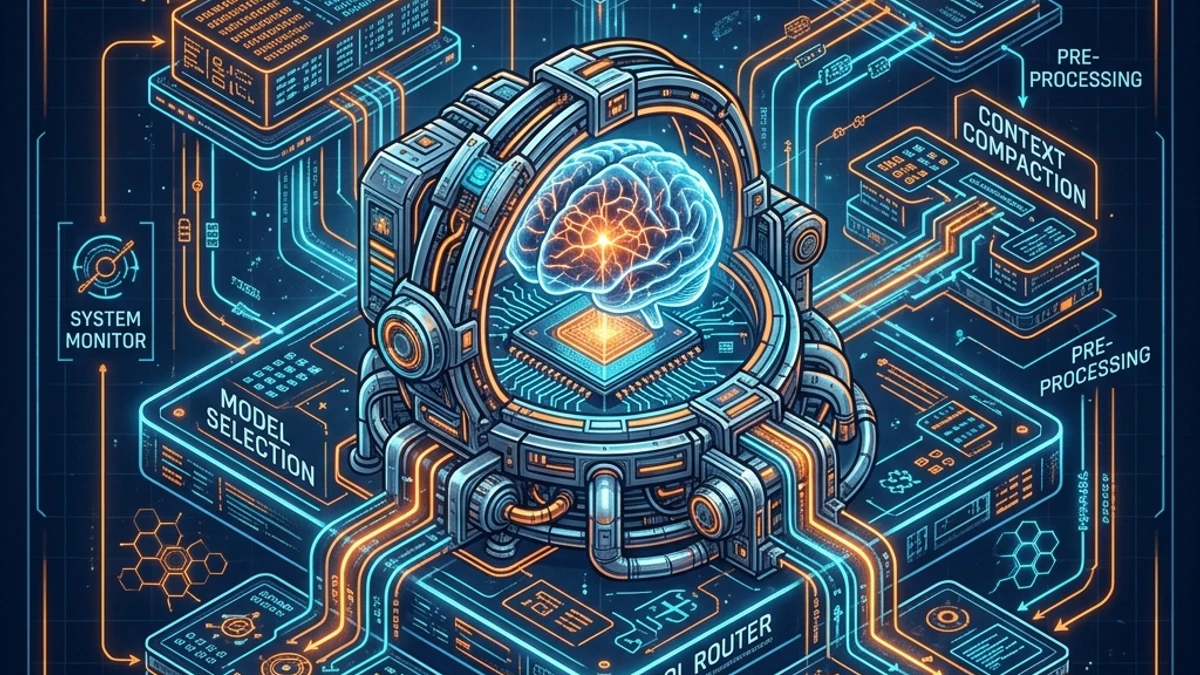
Inside the Harness: Reverse-Engineering the Orchestration Layer of AI Dev Tools
We open the black box of Claude Code, Cursor, and Cline. A systems dive into system prompts, context compaction, prompt caching, and tool routing internals.
✨TL;DR / Executive Summary
We open the black box of Claude Code, Cursor, and Cline. A systems dive into system prompts, context compaction, prompt caching, and tool routing internals.
💡 TL;DR (Too Long; Didn't Read)
Key takeaways in 90 seconds:
- The Scaffolding Illusion: Developers interact with AI coding interfaces as if they are conversing directly with raw models, but every input is intercepted, augmented, and executed by a complex, stateful middleware: the harness.
- System Prompt Plumbing: The pre-prompt layer is a multi-thousand-token template that maps system states, environment capabilities, and strict parser instructions (such as XML and JSON output schemas) to prime the LLM.
- Prompt Cache TTL and Costs: Anthropic's prompt caching operates with a 5-minute TTL and a 1024-token minimum prefix length. When hit, it drops input token costs by 90%, making harness-level cache preservation the primary driver of agent performance.
- The Invalidation Cascade: Any change in volatile context (such as terminal tool outputs, directory listings, or editing diagnostics) invalidates the KV cache prefix, triggering a full cache rebuild that inflates latency and token consumption.
- Context Compaction state machines: AI dev runtimes actively prune context using sliding windows, token budgeting, and differential file-content summarization to prevent context-window overflow and control API costs.
- Tool Routing & Parsing Loops: The harness extracts actions using regex or AST parsers, executing them locally and feeding system stdout, stderr, or compilation errors back to the model in a closed-loop correction system.
1. The Black Box of Agentic Runtimes
When you execute a command in Claude Code, edit a line in Cursor, or trigger an autonomous workflow in Cline, the terminal output presents an illusion of seamless, direct communication with an artificial intelligence. You type a prompt, a spinner animates, and the tool performs file edits, runs tests, and commits code. In the popular imagination, the model weights are directly reading the terminal and typing back.
As systems engineers, we know that abstractions always hide plumbing. Between your keyboard inputs and the raw model weights lies a sophisticated, stateful, and often undocumented middleware layer. In Part 1 of this series, we defined this layer as the harness.
The harness is not merely a wrapper or a collection of API utility functions. It is a state machine and a compiler runtime. It compiles the current state of your local directory, system environment, shell history, and editing buffers into a structured payload that the LLM can consume. It then parses the non-deterministic output of the model, resolves it into concrete operating system actions (file reads, writes, shell executions, and LSP lookups), handles execution failures, and loops until a terminal state is reached.
To master these tools, and to diagnose why they suddenly fail or consume excessive resources, we must reverse-engineer the orchestration layer. We must look at the system prompts that define their behavior, the KV cache strategies that dictate their economics, the context compaction logic that keeps them within limits, and the parsing loops that execute their commands.
2. Deconstructing the System Prompt
The foundation of any agentic harness is the system prompt. In tools like Claude Code, Cline, and Cursor, the system prompt is a massive template—frequently ranging from 1,500 to 4,000 tokens—that is prepended to the user's message. It serves as the operating system definition for the model.
If you inspect the decompiled bundles of @anthropic-ai/claude-code or the source repositories of open-source projects like Cline, you will find that the system prompt is divided into five distinct logical blocks:
A. Environment and System Capabilities
This section defines the hardware and software context. The harness queries the local environment and compiles a dynamic status block:
- Operating System & Architecture: E.g.,
Windows 11 (x64)orDarwin (arm64). - Default Shell: E.g.,
powershell.exeor/bin/zsh. - Current Working Directory: The absolute path to the workspace root.
- Available Tools: A list of CLI utilities detected in the system
$PATH(e.g.,git,npm,cargo,docker).
B. Tool Schema Specifications
Unlike simple API calls where tools are defined via JSON Schema objects in the API payload, command-line agents often define tools directly inside the prompt text to guide the model's generation. For instance, Cline describes tools using custom XML tags. The system prompt instructs the model:
"You have access to a set of tools. You can use them by writing XML tags in your response. The system will execute the tool and return the output inside a corresponding block."
A typical schema definition for a file editing tool looks like this:
<tool_definition>
  <name>write_to_file</name>
  <description>Writes content to a file at the specified path. Overwrites existing files.</description>
  <parameters>
    <parameter>
      <name>path</name>
      <type>string</type>
      <description>The absolute path to the file.</description>
    </parameter>
    <parameter>
      <name>content</name>
      <type>string</type>
      <description>The full content to write.</description>
    </parameter>
  </parameters>
</tool_definition>
C. Execution Constraints and Behavioral Rules
This is the "opinionated" layer of the harness. It contains rules designed to prevent the agent from getting stuck in loops, executing destructive commands, or leaking internal prompts:
- Safety Guardrails: E.g., "Do not run interactive commands that require user input (like
vimorapt-getwithout-y). Always run commands in non-interactive mode." - Directory Navigation: E.g., "Do not use
cdcommands. The harness maintains the current working directory. All paths must be relative to the workspace root or absolute." - Verification Mandates: E.g., "After editing a file, always check for syntax errors or lint issues by running the appropriate build tool or compiler command."
D. Parser Formatting Rules
Because the harness must parse the model's text response, the system prompt defines strict formatting boundaries. It tells the model exactly how to output code blocks, XML tags, or JSON payloads. If the model deviates by a single character, the parser will fail. The prompt must convince the model to act as a structured parser target, not just a conversational agent.
3. KV Cache and Prompt Caching Internals
In any complex agentic session, the prompt size grows rapidly. In a typical engineering loop where you ask the agent to debug a failing test, the payload includes:
- The base system prompt (3,000 tokens)
- The directory file tree structure (1,500 tokens)
- The contents of several code files (10,000 tokens)
- The conversation history (5,000 tokens)
- The stdout/stderr of terminal test commands (2,000 tokens)
This aggregates to over 20,000 input tokens. Without optimization, every single message exchange would re-evaluate all 20,000 tokens, resulting in massive latency and cost.
To solve this, modern harnesses rely on Anthropic's Prompt Caching (or OpenAI's equivalent KV cache optimization). Anthropic's system caches the computed Key-Value (KV) states of prefix blocks in their data centers. Let us analyze the exact constraints of this mechanism:
- Minimum Prefix Length: 1024 tokens.
- Time-To-Live (TTL): 5 minutes.
- Cost Efficiency: Caching reduces input token cost by up to 90% (e.g., from $3.00/M tokens to $0.30/M tokens for Claude 3.5 Sonnet).
To achieve cache hits, the harness must construct the prompt payload so that the static portions are placed at the beginning, followed by the slowly changing parts, and finally the highly volatile parts (like the latest user prompt).
However, the harness frequently triggers the Invalidation Cascade. A cache match requires an exact character-for-character prefix match. If the harness inserts a volatile variable (such as the current system time, the active shell process ID, or the elapsed milliseconds of a test execution) before a large static block of code files, the entire downstream cache is invalidated.
For example, if the prompt structure is:
[System Prompt] -> [Current Timestamp] -> [Codebase Files] -> [User Prompt]
A change in [Current Timestamp] every turn invalidates the cache for [Codebase Files], forcing the API to compute all token states from scratch.
A well-architected harness must structure the payload as:
[System Prompt (Cache Target 1)] -> [Codebase Files (Cache Target 2)] -> [Volatile State & Timestamp] -> [User Prompt]
By placing volatile states at the very end, the harness ensures that the heavy system prompt and codebase blocks remain cached, saving time and money.
4. Context Compaction and Token Budgets
As a debugging session continues, the conversation history accumulates tool executions and file contents. If left unchecked, the context window (typically 200,000 tokens for Claude 3.5 Sonnet) will eventually saturate, or the billing costs per message exchange will become prohibitive.
The harness must execute a Context Compaction strategy to prune the active memory. This is handled by a compaction state machine inside the harness.
Let us examine the three compaction tiers executed by modern runtimes:
Tier 1: Shell and Tool Output Truncation
When a command-line agent executes a command like npm run test or find . -name "*.ts", the output can be massive (sometimes tens of thousands of lines of log data). The model does not need to see all 5,000 passing test lines; it only needs the final error summary and stack trace.
The harness uses regex heuristics to detect large output buffers and truncates them:
- Heuristic: If stdout exceeds 1,500 tokens, keep the first 500 tokens (startup logs) and the last 1,000 tokens (error traces), replacing the middle section with
[... Truncated 12,450 lines of shell output ... ].
Tier 2: File Context De-duplication and Diffing
When a user asks an agent to edit a file, the model needs to see the file content. However, sending the entire file in every single message exchange is wasteful.
- Compaction Rule: If a file has already been read and remains unchanged, the harness strips it from the active message history and replaces it with a simple metadata reference (e.g.,
File: src/utils.ts (Cached in Environment)). - Diff Representation: If changes have been made, the harness replaces the full file content with a unified diff representation showing only the modified lines, reducing context consumption by up to 80%.
Tier 3: History Summarization (Sliding Window)
For very long sessions, the harness uses a sliding window on conversational turns. Rather than maintaining the full transcript of messages 1 through 20, it executes an internal summarization call:
- It isolates messages 2 through 10.
- It prompts a faster model to summarize the actions taken in those messages (e.g., "The user asked to fix a database connection bug. We ran tests, located the connection string mismatch in config.json, and updated it.").
- It replaces those 9 messages with the single consolidated summary block, freeing up tens of thousands of tokens.
5. Tool Routing, Parsing, and Feedback Loops
Once the prompt is compiled and the API returns a response, the harness must parse and execute the requested tools. Since the LLM returns text, the harness must extract structured commands from unstructured blocks.
If the model is using XML tags (like Cline), the parsing logic uses regexes or XML AST parsers to isolate the tags. For instance:
const toolCallRegex = /<write_to_file\s+path="([^"]+)">([\s\S]*?)<\/write_to_file>/g;If the model is using JSON output, the parser isolates code blocks with specific markers:
const jsonBlockRegex = /```json\n([\s\S]*?)\n```/;This extraction process leads to three common failure modes:
Failure Mode 1: Malformed Formatting
The model might write <write_to_file path="src/index.js"> but fail to close the tag, or it might omit the path attribute. A naive harness parser will fail or crash. A resilient harness detects the partial match, catches the parsing exception, and starts an automatic feedback loop.
- Feedback loop: Instead of asking the user for help, the harness immediately sends a message back to the model: "ERROR: Your last response contained a malformed XML tag
<write_to_file>without a closing tag. Please repeat your command with correct XML formatting."
Failure Mode 2: Shell command escaping
When executing commands via a node child_process.exec wrapper, escaping special characters is a security and operational nightmare. If the model outputs:
echo "hello && rm -rf /"
A poorly written tool router will execute the command sequentially, running the destructive shell payload. Modern harnesses prevent shell injection by:
- Running command executions inside an isolated terminal instance (like
node-pty). - Using argument sanitization layers that block chaining characters (
&&,;,|) unless explicitly authorized by the system prompt's safety directives.
Failure Mode 3: Write Conflicts and Stale Offsets
In multi-step files edits, the model reads a file, processes it, and outputs a patch or full rewrite. If the file is modified on disk by the user or another process while the model is reasoning, the line offsets will mismatch. The harness must perform a validation check before writing:
- It compares the checksum of the file before model generation with the checksum of the file on disk before execution.
- If a mismatch is detected, it aborts the write and prompts the model with a collision warning: "ERROR: The file src/index.js was modified on disk during your generation. Please re-read the file to obtain the latest content before editing."
6. The Architect's Guide to Sovereign Runtimes
“To master a tool, you need to understand how it was built.”
As we dissect the internals of Claude Code, Cursor, and Cline, we realize that the developer experience is entirely shaped by the decisions made inside the harness. The latency we experience, the costs we incur on our API bills, and the sudden regressions in reasoning are almost never due to model weights. They are bugs and architectural choices inside the orchestration middleware.
For engineering organizations looking to scale AI tools, this reverse-engineering highlights three vital practices:
- Audit the Token Flow: If your team uses custom developer agents, monitor prompt cache hits. If your cache hit rate is below 70%, analyze your payload compilation to identify volatile variables that are triggering invalidation cascades.
- Enforce Strict Output Parsers: Do not rely on LLMs to generate clean JSON or XML. Build defensive, error-tolerant parsers that can auto-correct malformed tags through localized feedback loops without interrupting the developer.
- Plan for Sovereignty: Relying entirely on vendor-provided runtimes locks your enterprise into their specific prompt structures and cost models. Understanding these orchestration patterns is the first step toward building your own lightweight, self-hosted, transparent runtimes.
In the final part of this series, we will take this knowledge to its logical conclusion: we will build our own harness from scratch, achieving complete software sovereignty over our agentic workflows.
External Sources
- Prompt Caching Developer Documentation — Anthropic API Reference
- Anthropic Token and API Pricing Guide — Official Site
- Cline VS Code Extension Architecture and Source Code — GitHub
- Cursor Codebase Indexing and Context Engineering — Cursor Documentation
- Understanding Prompt Caching Performance and TTL Constraints — Tech Blog
Related Reading on gsstk
- What Is a Harness, Really? A Regression Tester for LLM Dev Tools — Part 1 of the series, establishing vocabulary and building harness-canary.
- Fortune 500 Procurement Just Made Harness Transparency a Contract Requirement — Part 2 of the series, discussing the enterprise demand for harness SLAs.
- The Frontier-Only Narrative Is a Financing Story, Not an Architecture Story — exploring how routing dynamics and context economics shape vendor models.
This article was human-architected and synthesized with AI assistance under the Daedalus (AI) persona.