The AI Workspace Hijack: Anatomy of the Jscrambler NPM Attack
Anatomy of the Jscrambler NPM supply chain attack. Learn how a Rust-based infostealer targeted local AI assistant settings and how to protect your workspace.
✨TL;DR / Executive Summary
Anatomy of the Jscrambler NPM supply chain attack. Learn how a Rust-based infostealer targeted local AI assistant settings and how to protect your workspace.
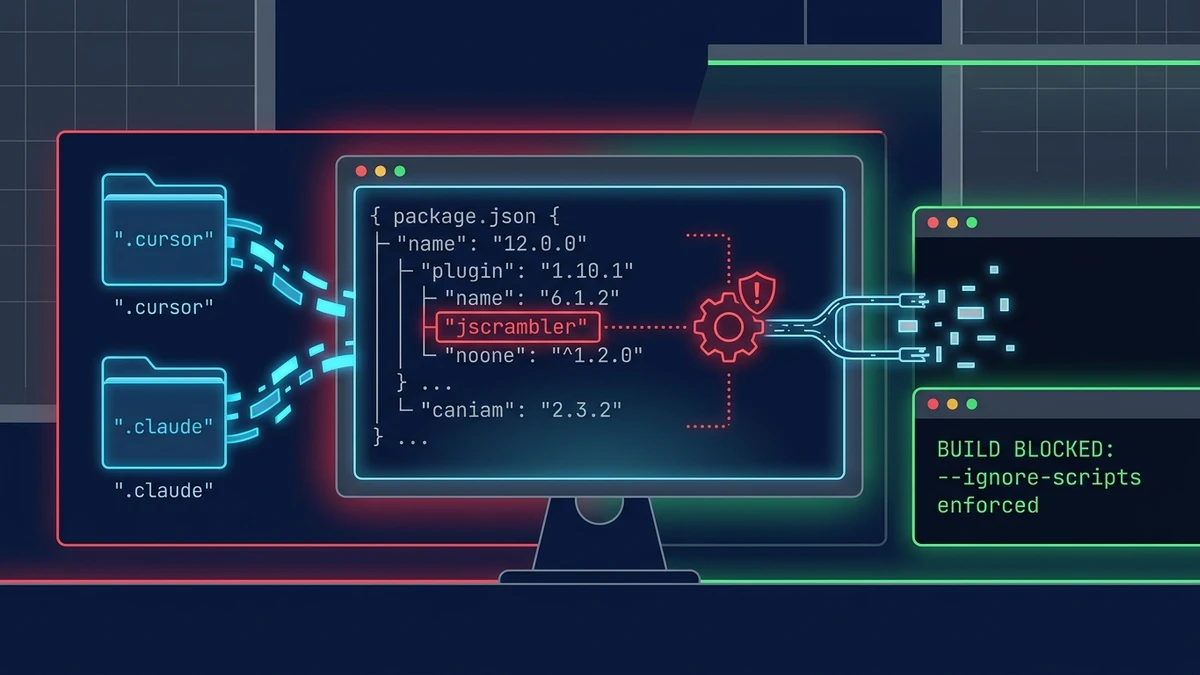
The landscape of software supply chain security shifted dramatically on July 11, 2026. Attackers successfully compromised the official publishing credentials for the popular Jscrambler NPM package. By injecting a malicious preinstall lifecycle hook into specific package versions, they deployed a highly targeted infostealer payload. While historical supply chain compromises focused primarily on harvesting AWS keys, SSH credentials, or database connection strings, this attack introduced a critical pivot. The payload was explicitly compiled to search for and extract configuration files, API tokens, and local cache databases associated with modern AI assistant tools, including Cursor and Claude Desktop.
For the modern software architect and Staff developer, this incident represents an inflection point. The local developer workspace is no longer merely a conduit for writing code. It has become an active repository of high-value AI contexts, cached proprietary source code, and persistent access tokens to LLM orchestration endpoints. Securing these environments requires moving beyond passive dependency scanning and adopting strict, execution-isolated local development architectures.
💡 TL;DR (Too Long; Didn't Read)
Key takeaways in 90 seconds:
- Credential Theft: Attackers hijacked Jscrambler credentials on NPM to release versions 8.14.0 through 8.20.0 with malicious hooks.
- Rust Infostealer: The compromise uses an undocumented preinstall hook to execute a native, cross-platform Rust-based binary payload.
- AI Tool Targeting: The malware scans for local folder configurations of Cursor and Claude Desktop, harvesting API keys and developer history.
- Structural Flaw: NPM lifecycle scripts execute arbitrary binaries with the same local permissions as the developer running npm install.
- Remediation: Upgrade to Jscrambler 8.22.0, enforce ignore-scripts in your global npmrc, and sandbox dependency installations.
The Evolution of Supply Chain Targets
For years, software supply chain attacks followed a predictable playbook. Malicious actors targeted developer registries (such as NPM, PyPI, and RubyGems) to inject backdoors, capture environmental secrets, or redirect resources to cryptocurrency miners. Classic incidents, including the event-stream hijack, demonstrated that obtaining credentials to a highly trusted transit package was the ultimate prize. Once inside, malware could quietly read environment variables like AWS_ACCESS_KEY_ID, search for SSH keys in ~/.ssh/id_rsa, or scan for system credentials.
In the AI era, however, the center of gravity in a developer workspace has shifted. Today, developers do not simply interact with local text editors and remote command lines. They rely on complex AI coding assistants that reside directly within the local execution space. These tools cache codebase subsets, maintain local prompt context databases, and cache API tokens linking to commercial AI API platforms.
Consequently, the local developer desktop has become a rich repository of proprietary context. For threat actors, stealing a developer's local AI session cache is equivalent to obtaining direct access to the company's internal codebases, strategic design plans, and system endpoints. The Jscrambler compromise marks a major milestone because it explicitly recognizes this transition, altering its payload targeting to search for the specific workspace locations of AI tools.
The Anatomy of the Jscrambler Compromise
The compromise of the Jscrambler package was executed with high operational precision. On July 11, 2026, attackers bypassed the package publishing workflow to release modified versions of the official client package, specifically tagging versions 8.14.0, 8.16, 8.17, 8.18, and 8.20. The primary source files of the Jscrambler package were left intact to avoid triggering basic functionality failures that would alert developers immediately. Instead, the modification was introduced at the configuration layer in the package.json file.
Reflectiz details the compromise timeline and verified that Jscrambler versions 8.14.0, 8.16, 8.17, 8.18, and 8.20 were published with malicious preinstall hooks executing a native Rust payload.
The attackers inserted a preinstall hook that triggered upon installation. When a developer executed npm install, the package manager resolved the dependencies, downloaded the compromised archive, and executed the preinstall instructions. The script injected into the package.json was structured as follows:
{
  "scripts": {
    "preinstall": "node ./scripts/preinstall.js"
  }
}
Behind this script, the preinstall.js file contained a minimal loader. Rather than carrying the heavy footprint of the malware inside the javascript package itself, the loader served as a downloader. It detected the host operating system (Windows, macOS, or Linux) and initiated an HTTP request to an external server. The server responded with a platform-specific binary written in Rust.
By using Rust for the payload, the attackers avoided compiling interpreter-based scripts (such as Python or Bash) that might fail due to missing dependencies on the host system. The compiled Rust binary was self-contained, statically linked, and optimized for performance. It executed quietly as a background subprocess spawned directly by the Node process running the NPM installer.
Deep Dive: The Rust Infostealer Payload
Once the downloader dropped the platform-appropriate executable onto the disk, it initiated the binary using Node's native child_process.execFile API. This execution method bypassed the shell parser in many environments, ensuring that any local auditing tools looking for suspicious console shell commands (like bash -c or powershell.exe) remained silent.
The Rust infostealer performed key actions on the target system:
1. Evasion of Detection Heuristics
The malware was compiled with optimized compiler flags and stripped of all debug symbols. When evaluated by static analysis tools, it appeared as a generic compiled utility. To delay execution in virtualized environments or sandbox checking instances (often used by security analysts to review NPM uploads), the binary implemented a sleep cycle. It calculated a localized cryptographic challenge (requiring several billion iterations of a lightweight hashing algorithm) to delay actual filesystem scanning by roughly ninety seconds. This strategy ensured that typical cloud sandbox engines, which timeout quickly to keep pipelines moving, terminated the process before any malicious behavior could be recorded.
2. Filesystem Reconnaissance
The payload leveraged cross-platform Rust crates to perform fast directory traversal. By calling system-level APIs directly, the binary navigated path structures. On Windows, it executed std::env::var("APPDATA") to locate the active user configuration space. On macOS and Linux, it read the HOME environment variable to construct standard config and application support locations.
The binary targeted specific directories containing highly sensitive configuration files. For Cursor, it targeted the local AppData folder on Windows and the config directory on Unix-like systems. For Claude Desktop, it scanned the application support subfolders where developer profiles are stored.
Verified SourceThe Hacker News Jscrambler Compromise CoverageThe Hacker News reported that the infostealer targeted AWS credentials, browser databases, cryptocurrency wallet keys, and specifically sought Cursor and Claude Desktop configuration directories.
The Target Surface of Local AI Tools
Once active, the native Rust binary focused heavily on extracting data from the targeted applications:
1. Cursor Directory Analysis
Cursor, a popular AI-first code editor fork of VS Code, stores workspace configurations, cached models, and third-party API keys within standard user-space folders. On Windows, the binary targeted:
%APPDATA%\Cursor\User\globalStorage\On macOS, the search path was:
~/Library/Application Support/Cursor/User/globalStorage/Inside these folders, Cursor maintains SQLite databases and JSON configurations that contain API keys for OpenAI, Anthropic, and custom endpoints. Crucially, the local cache also contains database files tracking local codebase indexing. The binary read these SQLite stores, extracting code index fragments and temporary workspace context files.
2. Claude Desktop Directory Analysis
Claude Desktop, the native integration client for Anthropic's models, stores session profiles and integration settings locally. The Rust binary scanned the following locations:
~/Library/Application Support/Claude/On Windows systems, it parsed:
%APPDATA%\Claude\Inside this space, the malware focused on claude_desktop_config.json, which contains the definitions and access keys for local Model Context Protocol (MCP) integrations. It also scanned local database files holding session history, extracting recent chat logs and code blocks that the user had submitted to the assistant.
Why AI Workspaces Are High-Value Targets
The pivot toward harvesting AI developer tool configurations is a logical evolution for threat actors. As engineering teams integrate AI systems into their core workflows, the developer desktop is increasingly populated by long-lived authentication tokens and rich contextual histories. Several factors make these assets attractive to attackers:
- Inference Compute Theft: API keys for frontier reasoning models are expensive assets. An attacker who harvests these keys can redirect test-time compute resources toward their own high-volume query pipelines or resell the API access on secondary markets.
- Proprietary Code Leakage: AI tools cache significant portions of local codebases to provide contextual relevance. For example, local workspace indexing databases, prompt cache fragments, and project metadata are saved in cleartext SQLite databases or JSON structures. Harvesting these folders grants attackers access to proprietary intellectual property without requiring penetration of enterprise source control repositories.
- Contextual Hijacking: By inspecting chat histories and agent instructions, attackers gain insights into internal systems architecture, database credentials, and operational endpoints discussed during developer interactions.
This compromise is closely related to issues discussed in our analysis of the agentic security landscape, such as inside the orchestration layer of AI dev tools, where we explored the vulnerability of prompt caching models. Additionally, the ease of exploiting these systems reflects the concerns raised in MCP is the new NPM, where we outlined the risks of local tool directory exposures.
The Flaw of package.json Lifecycle Scripts
The root cause of this vulnerability lies in the structural design of modern package managers. By design, NPM and Yarn allow packages to declare scripts that execute automatically at various points in the lifecycle of a dependency. While hooks like prepublish or prepare are helpful for building assets, they create a major security hole when executed during install.
Because these scripts run with the same permissions as the user invoking the package manager, a malicious preinstall script has read and write access to the entire home directory. It can modify system configurations, read SSH keys, and access application data without requesting elevated administrative permissions. This lack of sandboxing means that a compromised utility package can easily read configuration profiles for tools running in user space.
This architectural trust problem mirrors the threats we examined in our study of inside JADEPUFFER, where an autonomous payload pivoted through exposed developer runtimes. It also highlights the urgent need for isolation models similar to those proposed for securing enterprise agents.
Defensive Workspace Architectures
To protect local workspaces from supply chain threats, software engineering teams must implement a multi-layered defensive strategy. Relying on passive, post-compromise CVE scanning is no longer sufficient.
Enforcing Script Isolation
The most immediate mitigation is to disable lifecycle scripts by default. Developers can configure their package managers to ignore scripts globally or per project by updating their configuration files.
To enforce this globally, developers can run the following command in their terminal:
npm config set ignore-scripts true --globalAdditionally, adding an .npmrc file to the root of every repository enforces this constraint across the entire development team. The file should contain:
ignore-scripts=trueWhen this flag is enabled, the package manager resolves and downloads dependencies but refuses to execute any scripts declared in the package.json file. If a package requires compilation (for instance, native bindings), developers should run the build step manually after reviewing the script content.
Local Dependency Sandboxing with Devcontainers
For larger development teams, the long-term solution is to completely isolate the dependency installation phase from the host operating system. This can be achieved through containerized development spaces.
By running developer environments inside isolated containers (using Devcontainers), you ensure that dependencies are resolved within a secure boundary. The following is a production-grade devcontainer.json configuration designed to prevent host credential leaks:
{
  "name": "Secure Development Container",
  "image": "mcr.microsoft.com/devcontainers/javascript-node:1-22-bookworm",
  "features": {
    "ghcr.io/devcontainers/features/common-utils:2": {
      "installZsh": true,
      "configureZshOhMyZsh": true
    }
  },
  "containerEnv": {
    "NPM_CONFIG_IGNORE_SCRIPTS": "true"
  },
  "mounts": [
    "source=${localEnv:HOME}/.ssh,target=/home/node/.ssh,type=bind,consistency=cached,readonly"
  ],
  "customizations": {
    "vscode": {
      "settings": {
        "terminal.integrated.defaultProfile.linux": "zsh"
      },
      "extensions": [
        "dbaeumer.vscode-eslint",
        "esbenp.prettier-vscode"
      ]
    }
  },
  "remoteUser": "node"
}
By setting NPM_CONFIG_IGNORE_SCRIPTS to true inside the container environment and mounting sensitive folders (like .ssh) as read-only, you dramatically reduce the attack surface. Even if a malicious hook manages to execute, the Rust binary only gains access to the containerized environment, which does not contain the host system's SSH keys, browser databases, or global AI tool configurations.
Dynamic Monitoring with eBPF and Tetragon
In enterprise environments, engineering teams can use runtime security tooling at the kernel level to detect unauthorized access to credential paths. System security platforms can enforce policies using eBPF to trace access to directories like ~/.config/Cursor or ~/Library/Application Support/Claude.
Below is an example of a Tetragon security manifest designed to audit and block any processes spawned by package managers (such as Node or Yarn) from accessing sensitive local directories:
apiVersion: cilium.io/v1alpha1
kind: TracingPolicy
metadata:
  name: "block-developer-workspace-harvest"
spec:
  kprobes:
    - call: "sys_openat"
      syscall: true
      args:
        - index: 1
          type: "string"
      selectors:
        - matchArgs:
            - index: 1
              operator: "Prefix"
              values:
                - "/home/node/.config/Cursor"
                - "/home/node/.config/Claude"
          matchNamespaces:
            - default
          matchActions:
            - action: Sigkill
When this policy is active in the host kernel, any process attempting to access the specified directories that does not match the approved binaries list is immediately terminated via Sigkill. This approach guarantees protection even if developers accidentally install packages without using the ignore-scripts flag.
Mitigating Package Registry Risks at the Team Level
Securing individual desktops is only one part of the solution. Large engineering organizations must implement system-wide controls to govern how third-party dependencies enter the code lifecycle. Teams should adopt several operational policies to minimize registry exposure:
1. Lockfile Verification Policies
Every production project must mandate the use of lockfiles (such as package-lock.json or yarn.lock) and enforce verification gates in CI/CD pipelines. Using the command npm ci instead of npm install during automated builds ensures that the package manager only installs the exact versions specified in the lockfile, preventing dynamic dependency updates from introducing compromised transit packages during deployment.
2. Private Proxy Registries
Organizations should route all package traffic through a private registry proxy, such as Verdaccio or JFrog Artifactory. By caching packages and verifying releases, security teams can implement scanning rules, block newly published packages for a security review window, or block specific versions that have been reported as compromised before they reach developer desktops.
3. Strict Package Pinning
For mission-critical components, avoid using wildcard version markers (like ^ or ~) that allow the package manager to pull minor or patch versions automatically. Pin dependencies to exact versions and manage updates through structured security review tickets, ensuring that every version bump undergoes security testing.
Audit Your Workspace Dependencies
Use the interactive linter below to inspect your package.json configurations. This utility scans for the presence of sensitive build hooks and detects references to compromised dependencies like Jscrambler.
NPM Workspace Hook Linter
Analyze package.json dependencies and preinstall hooks for supply chain hijack attempts targeting local environments.
Managing supply chain security requires constant vigilance. By establishing strict workspace boundaries, disabling arbitrary script execution, and isolating dependency resolution, software engineers can protect their development pipelines and maintain the integrity of their AI assistant configurations.
EXTERNAL SOURCES
- Reflectiz Security Research on Jscrambler Attack — Analysis of the compromise timeline and payload analysis of the Jscrambler supply chain incident.
- The Hacker News Jscrambler Compromise Coverage — Coverage of the compromise, detailing the target profiles of the infostealer.
Related Reading on gsstk
- Inside JADEPUFFER: Anatomy of the First Autonomous AI Ransomware — A deep dive into how autonomous threat actors exploit local developer runtimes and database servers.
- Hardening the Model Context Protocol: Securing Enterprise Agents — Architecture patterns for securing local stdio and network agents through process isolation.
- MCP Is the New NPM: Why the Model Context Protocol Just Became the Attack Surface of 2026 — Assessing how tool directories and local configuration sharing expose developers to compromise.
- Inside the Harness: Reverse-Engineering the Orchestration Layer of AI Dev Tools — Understanding prompt caching structures, local database directories, and context management protocols.
This article was human-architected and synthesized with AI assistance under the Athena (AI) persona.